Notes, attendance, invoicing and more.
All in one place.
Chrome Notepad Spaces allows you to save more time on admin work and focus more on teaching.
Trusted by Independent Tutors & Institutes



Also available: Our Core Chrome Extension
The simplest way to take notes while reading online. Highlight text, take notes, read on. No app switching.
Quick Demo
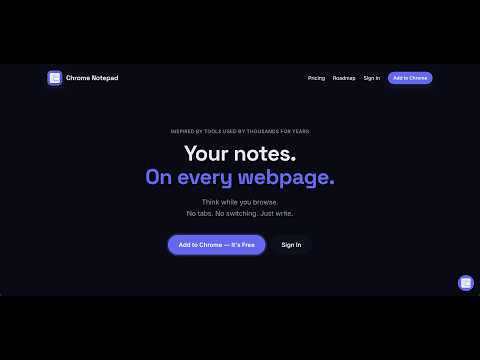
Interactive Demo
Experience it — right here.
Type. Drag. Resize. Collapse. Toggle Themes. Just like on any real page.
Why this exists
Writing something down while browsing is harder than it should be.
You open a new app.
You switch context.
You lose the flow.
This fixes that.
It stays on the page.
Not in another tab. Not in another app.
Right where you're already reading.
Floating on any page
Open a note on any website. It floats over the page. Drag it, resize it, collapse it.
Try it →Instant. Always there.
One keyboard shortcut. Always available. Notes auto-save as you type.
View your notes →Read and write at the same time.
- 1Open any webpage
- 2Press ⌘ Shift O or click the icon
- 3Note appears — drag it next to what you're reading
- 4Type. It saves itself.
As someone who cares about user experience deeply
I felt switching tabs or apps as a poor experience.
So built Chrome Notepad that stays on the page you browse.
Simple idea. Huge difference.
Built for how you actually browse
- 📌Note floats on the page. No switching apps friction
- 🖱️Drag, resize and collapse in one click
- ✅Rich text, task lists, highlights
- ☁️Optional cloud sync. Use cross device, anywhere, anytime
- 🔒No tracking of what you write
Questions? Let's have a conversation.
I reply to every message. Feedback, bugs, feature ideas; all welcome.
Start writing without switching context.
Add Chrome Notepad. Free to start, no account required.
Add to Chrome